Updated

Best exercise API in 2026
the November update

Eight exercise APIs side by side: what the demonstrations actually are (filmed video, 3D animation, GIFs or images), how big the catalog is, what the first paid plan costs, and what the license lets you do in a commercial app. Updated in November, so you can pick one and ship before the end of the year.

Prices and limits from each provider's own pages, checked 8 November 2026. USD, monthly billing.

The short answer

If your app needs real filmed video, there are only two serious options: MuscleWiki and Your Move. We are not in the habit of recommending competitors, but MuscleWiki is genuinely good. The difference shows once you grow: workouts and secondary muscles are included on every Your Move plan from $19/mo, while MuscleWiki puts them on its $99.99/mo plan. And we film everything in our own white studio, so every exercise has the same look, which is what enterprise and white-label apps need.

The rest of the list is 3D animation, GIFs, still images or small open-source sets. Fine for a prototype, harder to ship in a paid app.

At a glance

The ranking

#APIDemonstrationsCatalogPaid fromFree optionCommercial use
1Your MoveOur pickReal HD video, own white studio2,005+ exercises, 2,600+ videos$19/mo7-day free trialAll paid plans
2MuscleWiki APIVideo, front and side views1,900+ exercises, 7,700+ videos$99.99/mo full features ($10 test plan)500 calls/mo, playground onlyAll paid plans
3WorkoutX3D animation, 720p MP41,900+ exercises, 2,700+ clips$19/mo500 requests totalPaid plans
4ExerciseDB V2 (AscendAPI)Animated GIFs (also as MP4)11,000+ exercises (claimed)Via RapidAPI2,000 requests/mo, 200 exercisesNot stated in docs
5API Ninjas ExercisesImages only (premium)3,000+ exercises$39/mo3,000 calls/mo, evaluation onlyPaid plans
6ExerciseDB V1 (open source)180p GIFs1,500 exercisesFree (hosted)No key, 1,000 requests/hourNot stated
7wgerImages, a few user videos954 exercises, 383 images, 78 videosFree (open source)Public API or self-hostPer-entry Creative Commons
8buzops9/exercisedbGIF-style animation (as 1080p MP4)317 exercises, 593 clipsFree (self-host)Open sourceCode MIT; media license not stated

MuscleWiki's $10/mo plan is a testing plan (1,000 calls, English only, no workouts or secondary muscles), so it does not compare like for like with a full plan. Their plan with the full feature set is $99.99/mo.

Find your match

Which exercise API fits your app?

Tell us what you are building and what you need. We re-rank the eight APIs on what each provider actually offers.

What are you building?
What does your app need?
Pick what you are building, or tap the features you need. The list re-ranks as you go.

Only counts what each provider states on its own pages; anything not stated counts as no.

GIF vs filmed video

See the difference for yourself

As trainers, we don't like GIFs. Put one next to a filmed clip and you see why: the details that make an exercise correct are simply missing.

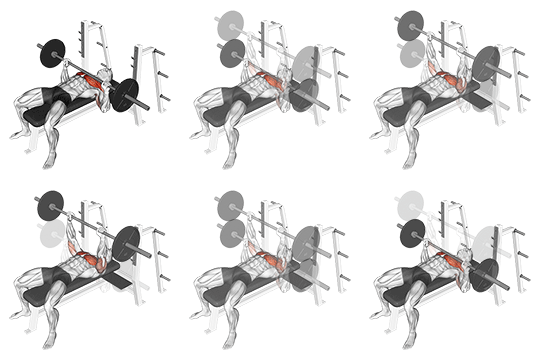
ExerciseDB animated GIF of the Barbell Bench PressExerciseDB GIF
  • Drops frames, so tempo and control are lost
  • 256 colors, details blur together
  • Grip and foot placement hard to read
  • Pixelated when scaled up
Your Move filmed video
  • Smooth 30 fps, crisp HD
  • A real body moving, every detail visible
  • Same white studio on every exercise
  • Sharp at any screen size

Barbell Bench Press. Left: ExerciseDB's own GIF for this exercise, 180×180 as delivered, scaled up. Right: the same exercise from Your Move, filmed in our white studio.

Method

How we compared them

Most exercise APIs return the same kind of data: a name, target muscles, equipment and instructions. Where they really differ is the demonstration your users watch, and the rules around it. So we looked at four things for each provider: what the media is (filmed video, 3D animation, GIF or still images), how large the catalog is, what the first paid plan costs and what it includes, and whether the license allows a commercial app, caching and offline use.

On media, we have a strong opinion. As trainers, we don't like GIFs. A GIF misses so many important details of a movement, like grip, foot placement, how deep the movement goes and its tempo, that we personally would not recommend it to anyone teaching exercises. Animation shows a model, not a real body moving. Filmed video shows the movement as it actually happens.

We only used what each provider publishes on its own pricing pages, docs and repositories. Where a page does not state something, we say so instead of guessing. Your Move is our own product, ranked first because it is the one we built for this use case; everything we list about the others is linked to the source so you can check it.

Reviewed

The 8 exercise APIs, one by one

1. Your Move

Our pick
Paid from $19/moReal HD video, own white studio2,005+ exercises, 2,600+ videos

Best for: Production and enterprise fitness apps that want real trainers on camera, one consistent look, and workout generation on one key

Your Move is an exercise API built around real video. We film every exercise ourselves, with trainers and physiotherapists, in our own white studio: same background, same light, same framing, so the library looks like one product inside your app instead of a patchwork. That consistency is what enterprise and white-label teams ask for. No 3D animation, no AI-generated clips and no GIFs. The same key also covers workout generation, a multi-week program builder, AI form analysis, and a nutrition and recipe API.

Pros

  • Real HD video filmed with trainers and physiotherapists, not animation or GIFs
  • Filmed in our own white studio for one consistent look, made for enterprise and white-label apps
  • Male and female models
  • Workouts, programs and secondary muscles on every plan from $19/mo (MuscleWiki puts workouts and secondary muscles on its $99.99 plan)
  • Clean, unwatermarked video from $29/mo (Pro); offline on-device caching on Scale ($79/mo)
  • Nutrition, food barcode and recipe API on the same key
  • Self-serve signup, public pricing, API key in minutes

Cons

  • No permanent free tier: you evaluate on a 7-day trial
  • Starter ($19/mo) videos carry a small watermark
  • Monthly Starter and Pro plans cap how many different exercises you pull with video per 30 days (250 and 350), to prevent bulk scraping
  • Smaller catalog than ExerciseDB V2 claims, in exchange for filmed footage

Sources: Pricing, Docs

2. MuscleWiki API

Paid from $99.99/mo full features ($10 test plan)Video, front and side views1,900+ exercises, 7,700+ videos

Best for: Apps that want a large library of real demonstrations with multiple camera angles, and can budget for the higher tiers

Honestly, MuscleWiki is good. It is the other serious option for real video: 1,900+ exercises with 7,700+ video demonstrations shown from the front and the side, across 45 muscle groups and 14 languages. The entry plan is cheap but narrow. Routines, bodymaps and secondary muscles only come with the $99.99/mo Professional plan (100,000 calls), and Enterprise is $199.99/mo (300,000 calls).

Pros

  • One of only two serious real-video options
  • Large video library with front and side views
  • Male and female demonstrations
  • Content in 14 languages from the Growth plan
  • Commercial use included on all paid plans

Cons

  • Testing plan ($10/mo) is 1,000 calls/month, English only, no routines or workouts
  • Growth ($39.99/mo, 30,000 calls) still has no workouts, bodymaps or secondary muscles; those start at $99.99/mo
  • Free keys only work in their playground, not from your own app
  • Video may never be stored on your side; thumbnails may only be cached on the end user device for 24h

Sources: Pricing, FAQ

3. WorkoutX

Paid from $19/mo3D animation, 720p MP41,900+ exercises, 2,700+ clips

Best for: Apps where animated 3D models are acceptable and request-based pricing fits

WorkoutX serves 3D-animated exercise clips as 720p MP4 at 30 fps (its v1 used GIFs), with male and female models linked per exercise. Starter is $19/mo for 5,000 requests and 25,000 media views per month. A rule-based workout generator is included; the AI workout generator starts on Growth and multi-week programs on Scale.

Pros

  • 1,900+ exercises with male and female versions
  • Smooth 30 fps MP4 instead of GIFs
  • Rule-based workout generation endpoint
  • Clear published request and media-view limits

Cons

  • 3D animation, not filmed people
  • Starter is 5,000 requests and 25,000 media views per month
  • Downloading, storing or re-hosting media is not permitted on any plan; media links expire after about a day
  • Free tier is 500 requests in total (no monthly reset), 360p and watermarked

Sources: Pricing, Homepage

4. ExerciseDB V2 (AscendAPI)

Paid from Via RapidAPIAnimated GIFs (also as MP4)11,000+ exercises (claimed)

Best for: Teams that want the largest claimed catalog, are fine with GIF-style animation, and buy through RapidAPI

ExerciseDB, now run as AscendAPI, sells a paid V2 that claims 11,000+ exercises. The demonstrations are still GIF-style animations (their GitHub lists 5,000+ GIF animations), now also delivered as MP4 files, plus 360p to 1080p still images. An MP4 container does not make it filmed video: you get the same animation, with the same missing detail. Plans are sold only through RapidAPI, and there is no workout generation yet ("coming soon").

Pros

  • Largest claimed catalog on this list
  • Multi-resolution still images
  • Free Basic plan to try it (2,000 requests/month)

Cons

  • GIF-style animation, not filmed video: grip, foot placement and range of motion are hard to see
  • Pricing only visible inside RapidAPI
  • Commercial terms not stated in the docs
  • Caching only if your plan explicitly allows it; media URLs rotate every week
  • No workout or program generation yet
  • Free tier media is watermarked and limited to 200 exercises

Sources: V2 overview, Caching guide

5. API Ninjas Exercises

Paid from $39/moImages only (premium)3,000+ exercises

Best for: Text-first apps that need exercise names, muscles and instructions, not video

API Ninjas includes an exercises endpoint in its general API subscription: 3,000+ exercises with names, muscles, equipment and instructions. Media is limited to images in movement order, on premium plans only. Its Developer plan covers 100,000 calls a month across all API Ninjas endpoints.

Pros

  • Large text catalog, simple to integrate
  • Generous call volume on the paid plan
  • One subscription covers many unrelated APIs

Cons

  • No video at all; images on premium only
  • Free tier is for evaluation only: no commercial use, no caching, attribution required
  • Free tier returns at most 5 results per request

Sources: Exercises API, Pricing

6. ExerciseDB V1 (open source)

Paid from Free (hosted)180p GIFs1,500 exercises

Best for: Prototypes and hobby projects that just need exercise data with a GIF

The original ExerciseDB is still available as an open-source V1: 1,500 exercises with 180p GIFs, hosted with no sign-up and no key. It is the most common starting point for side projects. GIFs at 180p look dated in a production app, and the license terms for the media are not spelled out.

Pros

  • No sign-up, no key
  • Familiar data model used by many tutorials
  • Fine for prototypes

Cons

  • 180p animated GIFs, no video: grip, foot placement and range of motion are hard to see
  • Code is AGPL-3.0; the license for the data and media is not stated
  • Rate limited to 1,000 requests per hour

Sources: V1 overview, GitHub

7. wger

Paid from Free (open source)Images, a few user videos954 exercises, 383 images, 78 videos

Best for: Open-source projects that can follow per-exercise Creative Commons terms

wger is an open-source fitness manager with a public REST API. Its exercise data is community-contributed: at the time of checking, the live API listed 954 exercises, 383 images and 78 videos. Each entry carries its own Creative Commons license (for example CC-BY-SA 4.0) and author, which you have to honor.

Pros

  • Fully open source, self-hostable
  • Public endpoints need no authentication
  • Clear per-entry licensing and attribution data

Cons

  • Few exercises have video; quality varies by contributor
  • Share-alike licenses carry obligations for commercial apps
  • No SLA on the public instance

Sources: GitHub, API docs

8. buzops9/exercisedb

Paid from Free (self-host)GIF-style animation (as 1080p MP4)317 exercises, 593 clips

Best for: Experiments with a small self-hosted animation set, after checking the media rights yourself

A small open-source project with 317 exercises and 593 clips of a male and a female model, served by a self-hostable REST API. The README calls them Full-HD videos, and the files are indeed 1080p MP4s, but the content is the familiar illustrated 3D model with highlighted muscles that GIF libraries use, not filmed people. The code and metadata are MIT licensed, but the README does not state a license for the media, and the author notes it was bought from a third party whose original source is unknown.

Pros

  • Male and female versions of each clip
  • Self-hostable, no recurring cost

Cons

  • GIF-style animation, not filmed video, despite the 1080p MP4 files
  • Only 317 exercises
  • No stated license for the media files themselves; origin unclear
  • Hosted demo is for evaluation only

Sources: GitHub

Choosing

Which exercise API should you pick?

Shipping a fitness app to paying users? Pick filmed video and a license that clearly covers commercial use, which leaves Your Move and MuscleWiki. Your Move gives you real trainers filmed in one white studio, workout and program generation on every plan, and clean video from $29/mo. MuscleWiki is the alternative if front and side camera angles matter more to you, at $99.99/mo once you need workouts.

Enterprise or white-label? Consistency matters most: your users should not see a different background or lighting from one exercise to the next. That is why we film everything in our own white studio. Scale ($79/mo) adds offline caching and brand licenses, and Enterprise covers higher volume.

Animated models are fine? WorkoutX has a broad 3D-animated library and published request limits, starting at $19/mo.

Need the biggest possible catalog? ExerciseDB V2 claims the most exercises, but they are GIF-style animations; check the commercial terms with them before you build on it.

Prototype or hobby project? ExerciseDB V1 and wger cost nothing. Expect GIFs or images, and read the data license before anything goes commercial.

Coming from ExerciseDB specifically? See the full Your Move vs ExerciseDB comparison, or go straight to pricing and the API docs.

FAQ

Questions, answered

What is the best exercise API with videos?
For real filmed video there are two serious options: Your Move and MuscleWiki. Your Move films everything in its own white studio for one consistent look and includes workouts and secondary muscles on every plan from $19/mo. MuscleWiki has front and side camera angles, with workouts and secondary muscles from its $99.99/mo plan. WorkoutX is the pick if 3D animation is acceptable.
Which exercise APIs use real filmed video instead of animation?
Your Move and MuscleWiki serve video demonstrations of real people. WorkoutX uses 3D animations, and ExerciseDB (V1 and V2) and buzops9/exercisedb use GIF-style animations. Some of them deliver those as MP4 files, which is still animation, not filmed video. API Ninjas has no video.
What is the cheapest exercise API with video?
Compare like for like. MuscleWiki lists a $10/mo plan, but it is a testing plan: 1,000 calls a month, English only, no workouts, no secondary muscles. It is not the same product as a full plan, so it is not a fair comparison with ours. MuscleWiki’s plan with workouts and secondary muscles is $99.99/mo (Enterprise $199.99/mo). Your Move includes workouts and secondary muscles on every plan from $19/mo, clean unwatermarked video from $29/mo, and offline caching on Scale at $79/mo.
Why not use GIFs for exercise demonstrations?
As trainers, we don’t like them. A GIF misses so many important details of a movement, like grip, foot placement, how deep a squat goes and the tempo, that we personally would not recommend it for teaching exercises. GIFs also cannot stream and look dated next to the rest of a modern app. Real video shows the whole movement as it happens.
Can I cache or download the exercise videos?
It depends on the provider. WorkoutX does not allow downloading or re-hosting media on any plan, MuscleWiki does not allow storing video, and ExerciseDB V2 only allows caching if your plan says so. Your Move allows offline on-device caching on the Scale plan and above.
Which exercise API is best as an ExerciseDB alternative?
If you are moving off ExerciseDB GIFs, Your Move gives you real HD video in a familiar REST data model. See our side-by-side Your Move vs ExerciseDB comparison for the full feature table.
Can I use these APIs in a commercial app?
Your Move, MuscleWiki, WorkoutX and API Ninjas allow commercial use on their paid plans. The free tiers of API Ninjas, WorkoutX and MuscleWiki are for evaluation only. For open-source options, check the data and media license, not just the code license.

Try the filmed-video option

2,005+ exercises and 2,600+ HD videos, filmed with trainers and physiotherapists in our own white studio, with workout generation on the same key. Your API key in minutes.

Start free trial